

Where to schedule
You can schedule a lesson from three places:- Dashboard → Schedule your first lesson
- Lessons → Schedule Lesson (top-right of the lessons page)
- Students → Schedule on any student row
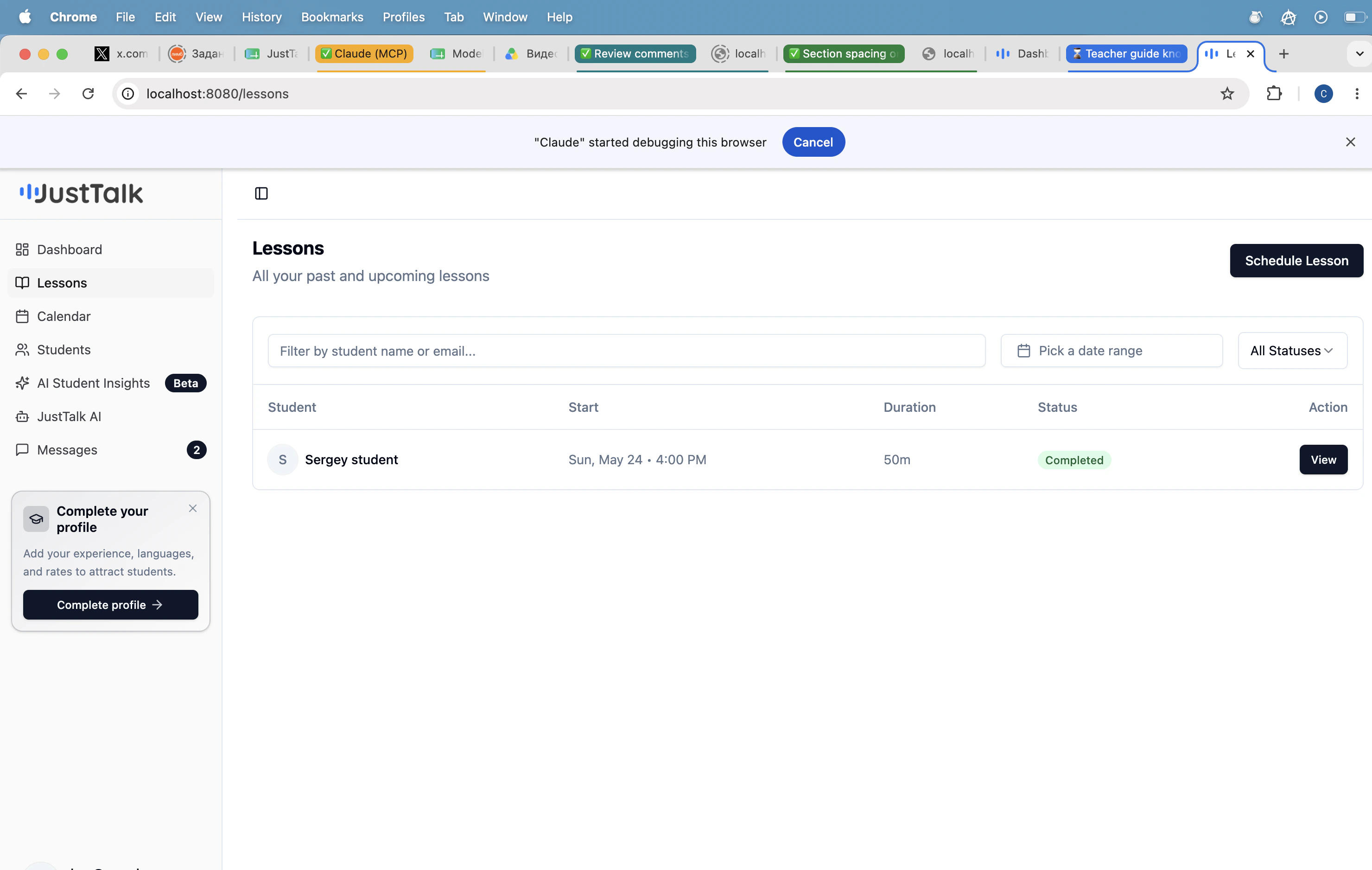
Schedule lesson or block time
Clicking Schedule Lesson opens a dialog with two modes.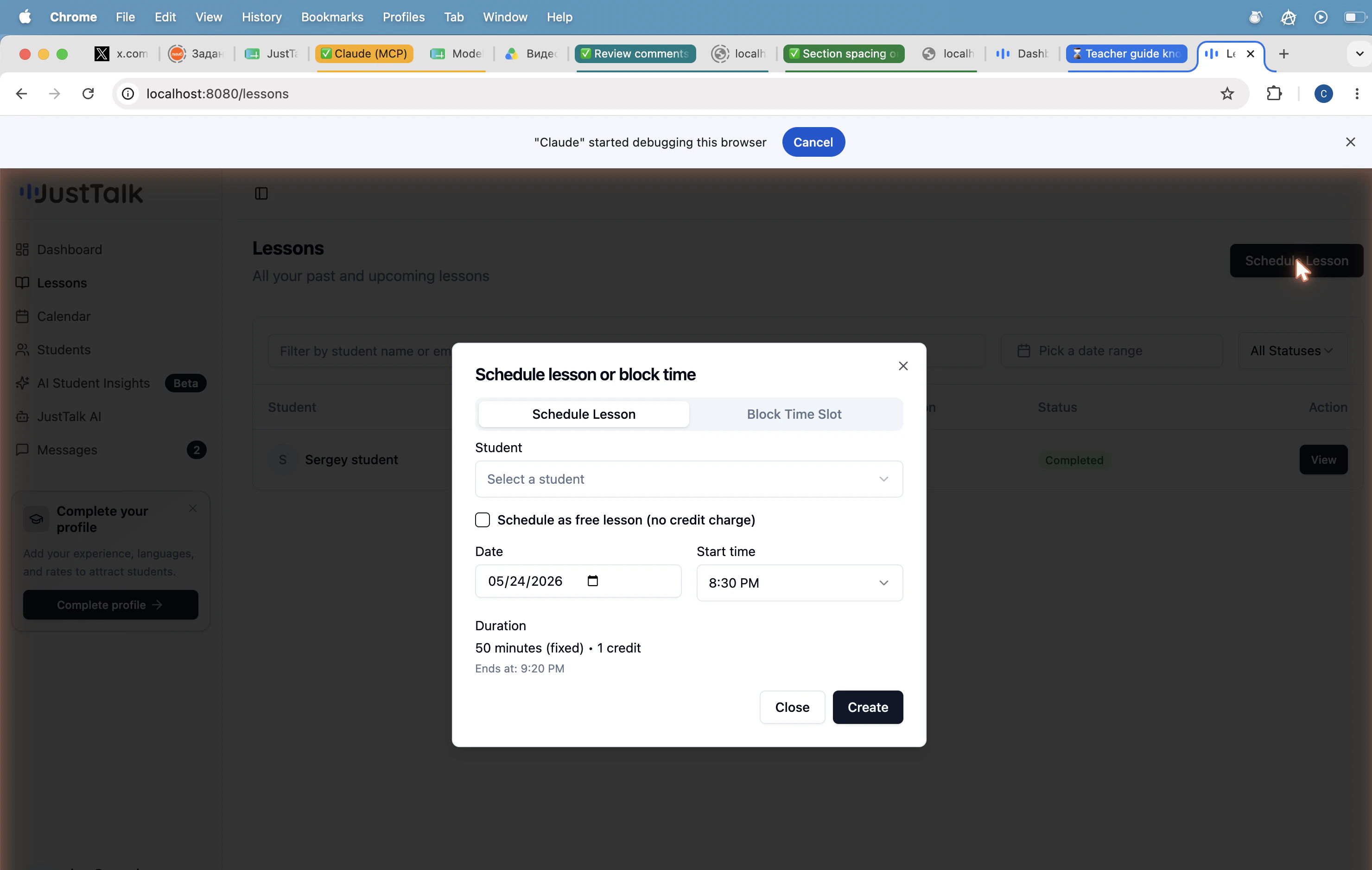
Fields:
- Student — pick from your roster.
- Schedule as free lesson — toggle on to avoid charging a credit (trial lessons, make-ups).
- Date and Start time — duration is fixed at 50 minutes; end time is calculated automatically.
Run the live lesson
When it’s time to teach, open the lesson from Lessons → View → Join lesson.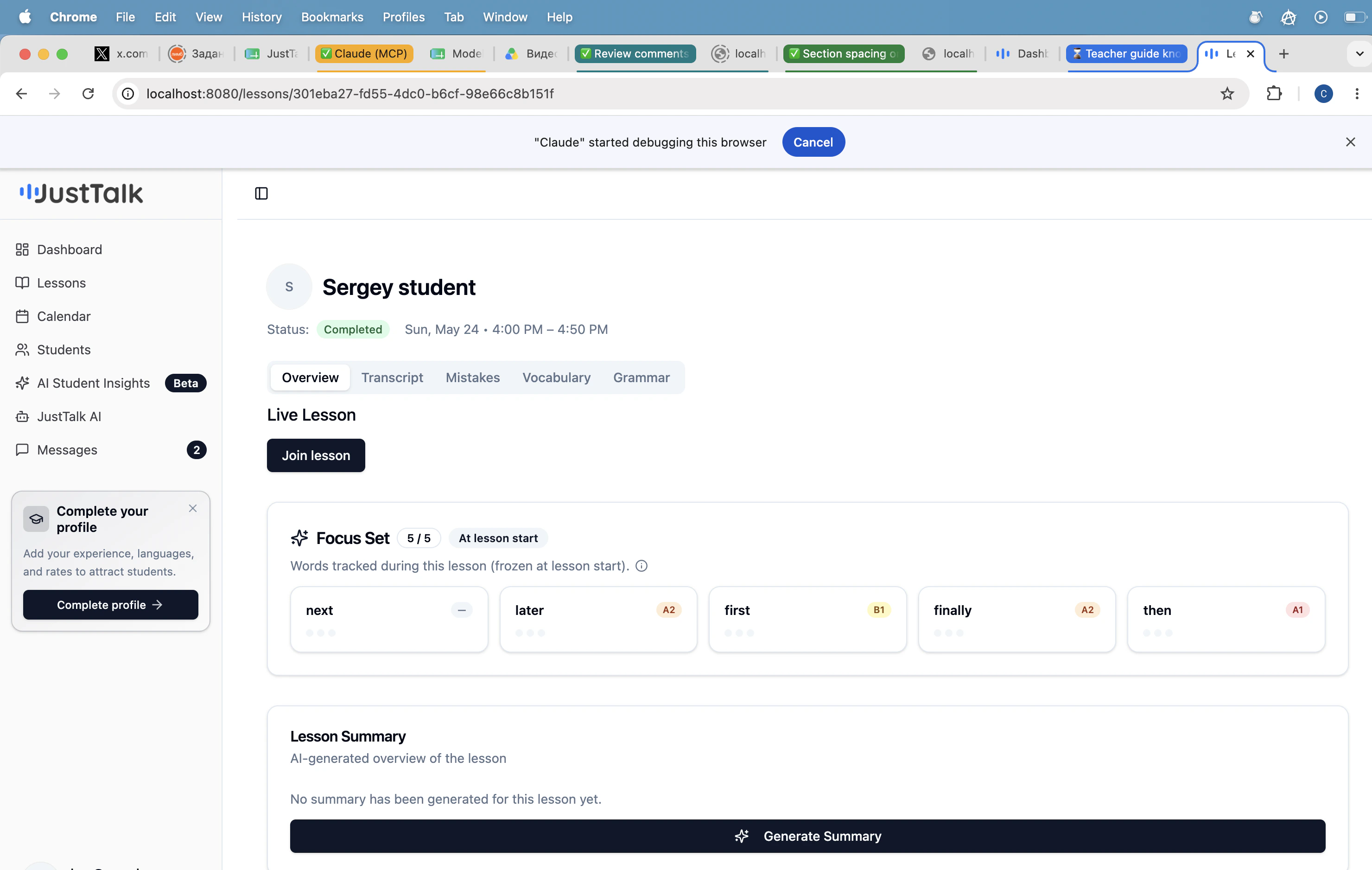
- A built-in video room — no Zoom or Google Meet needed.
- The student’s Focus Set (5 words tracked for that lesson) is shown at the top so you can pull them naturally into conversation.
- JustTalk records and transcribes the session in the background to power the post-lesson AI Lesson Report.