

JustTalk — get better at speaking by speaking
Private by design: your lessons and data are used only to help you learn.
One student, two sides of the same platform
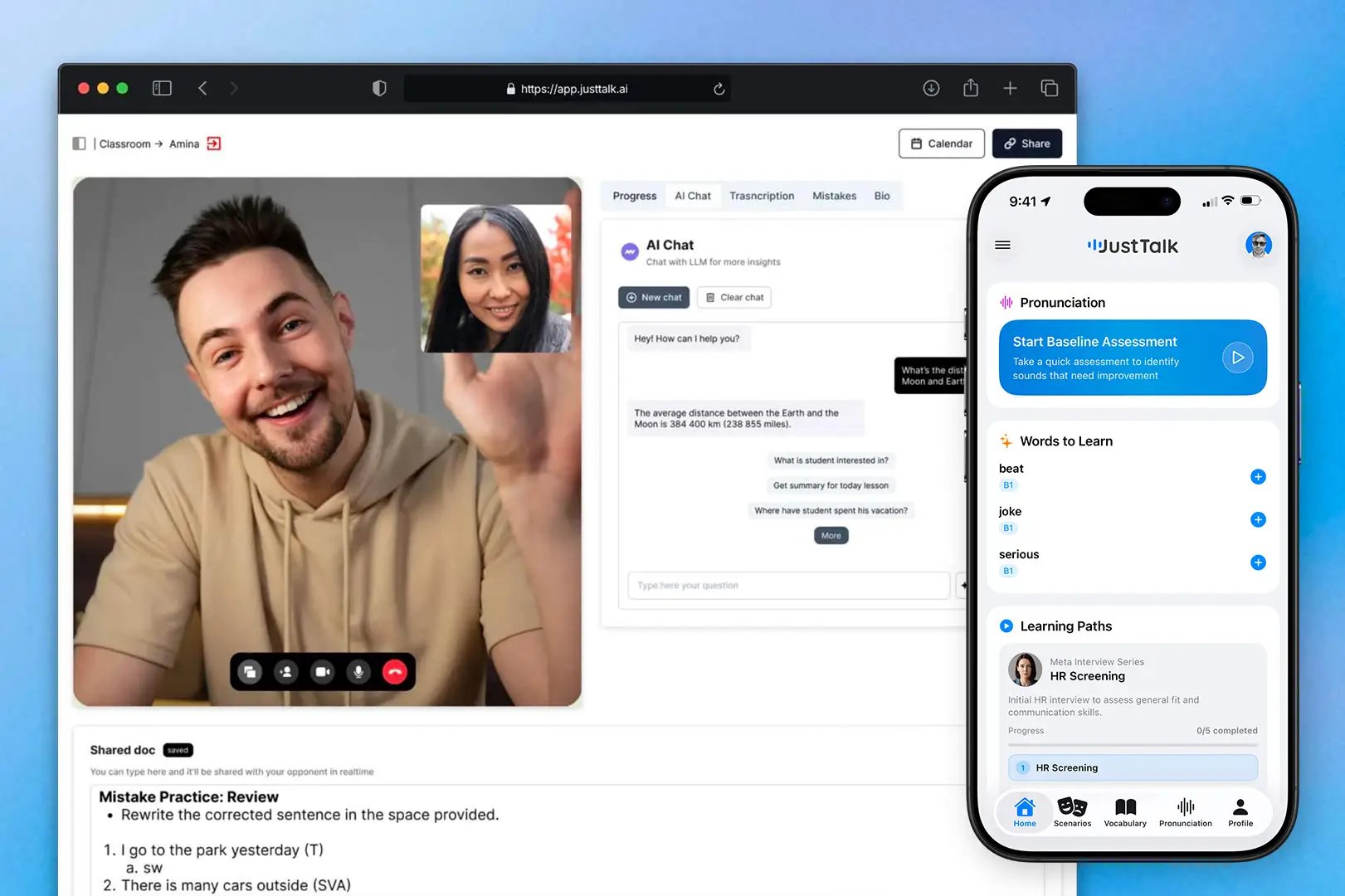
This is the heart of JustTalk. As a student you move freely between two surfaces, and they’re stitched together behind the scenes:Web app — live lessons
One-on-one video lessons with your teacher, plus a full AI report after every session: vocabulary, grammar, mistakes, transcript, and a summary.
JustTalk AI mobile app — daily practice
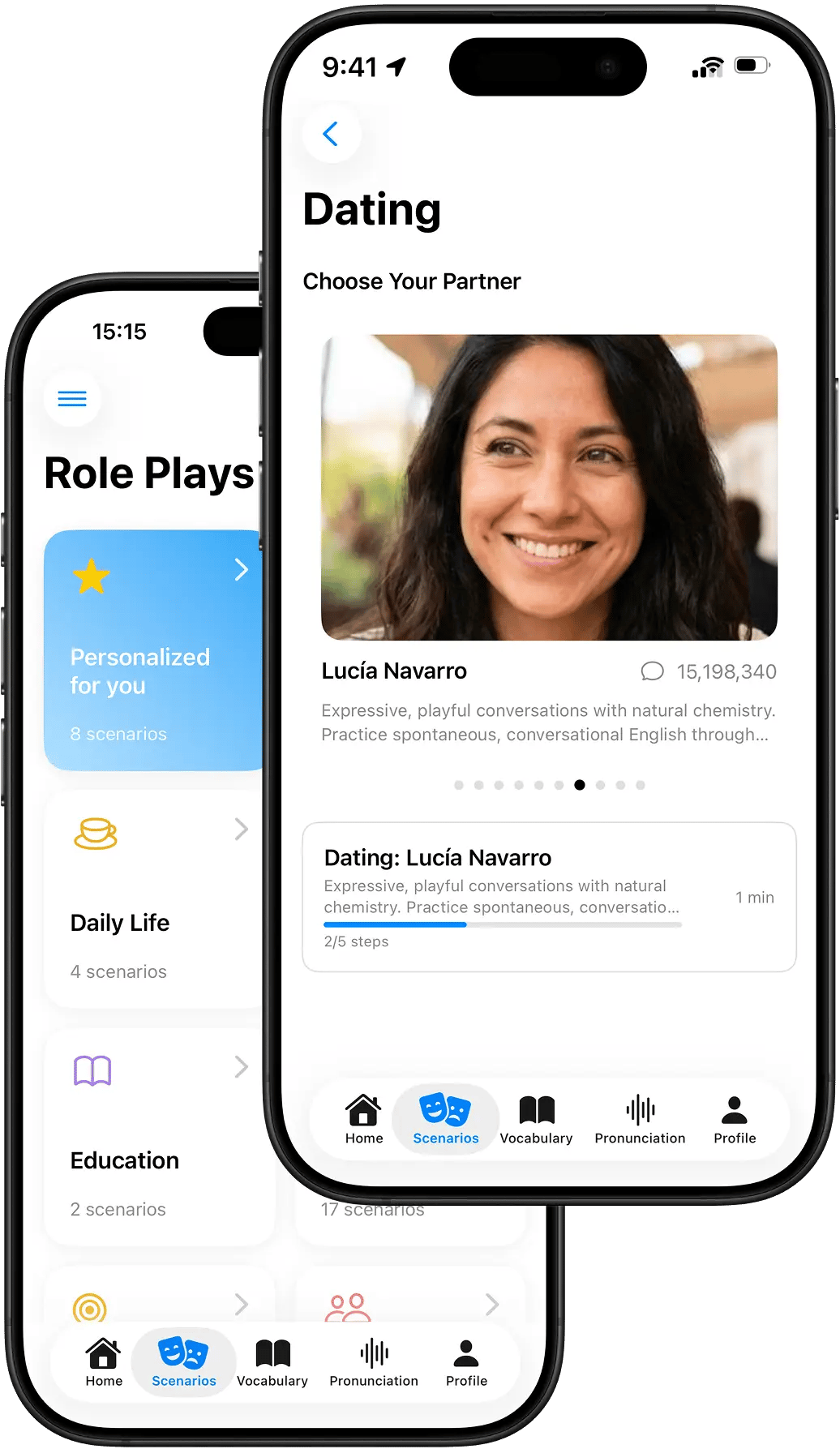
Voice-first role-plays with AI characters — a date, a job interview, ordering food — any time, even hands-free.
How the two sides connect
- One profile, one progress timeline. Every AI conversation and every live lesson lands on the same scoreboard — new vocabulary, mastered words by category, grammar tagged A1–C2, transcripts, and summaries.
- Practice feeds your lessons. The words your teacher assigns get rehearsed in your AI conversations before you ever sit down for a lesson, so you arrive warm and ready to use them.
- Lessons feed your practice. What you struggle with in a lesson can become a personalized AI scenario aimed at exactly that weak spot.
- Your teacher sees both. Live and AI sessions feed one view, so your teacher always knows where you stand before the lesson starts — and you see the same progress they do.
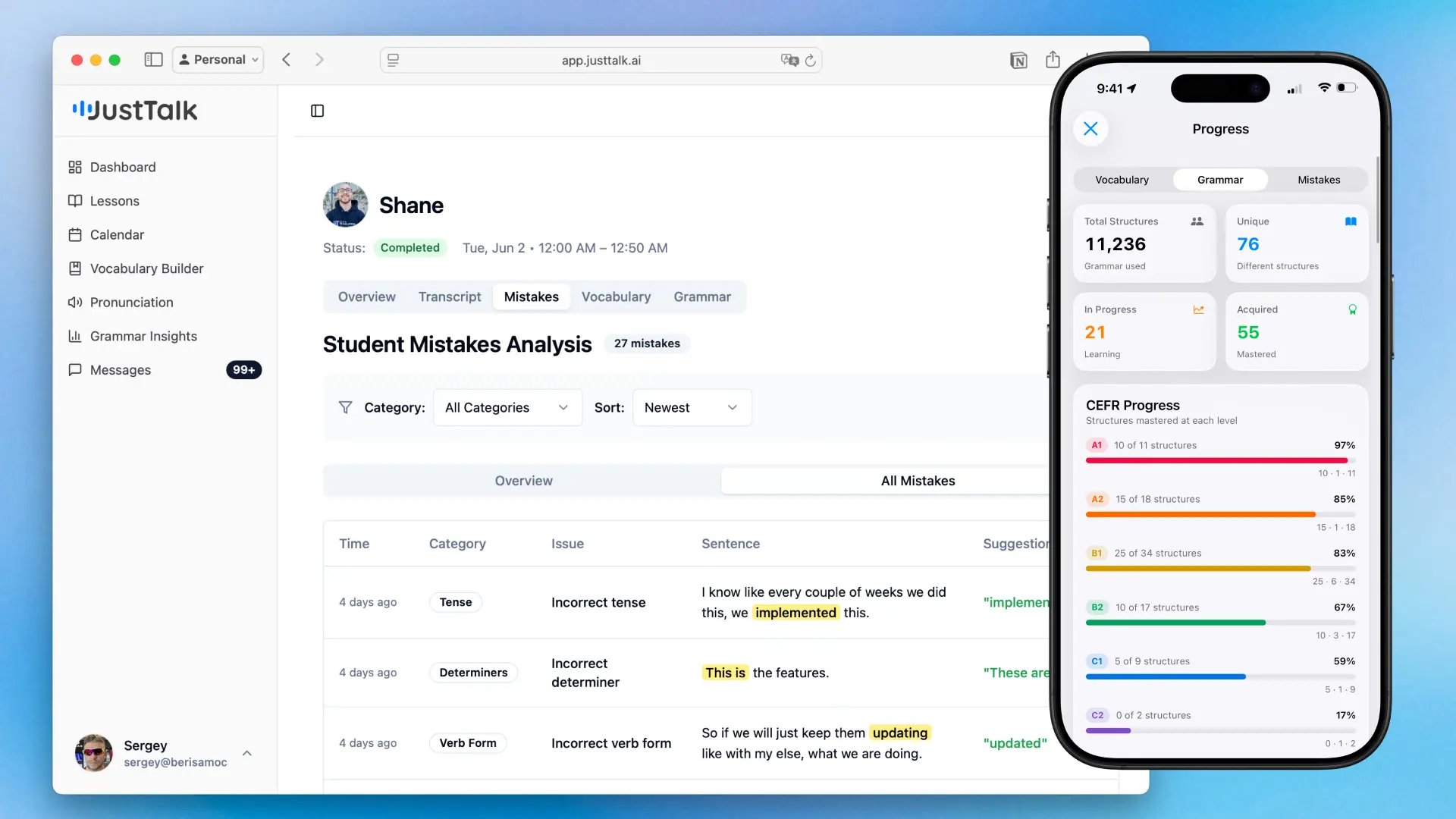
The JustTalk AI mobile app isn’t a separate product — it’s the other half of your lessons. It’s where you get the hours of speaking practice that a weekly lesson alone can’t give you.
Why it works — the learning science under the hood
JustTalk isn’t a chatbot with a streak counter. It’s built on established second-language-acquisition and learning-science principles:
After every session you get a score, a CEFR estimate for that session, weak spots called out by name, and a written summary.

Inside the mobile AI app
The AI app is where the day-to-day practice happens — the part that keeps you speaking between lessons.- Real voice conversations, not chat. You just speak; the AI character speaks back at natural pace, like a real dialogue.
- Every scenario has a real goal. Date someone, defend a CV claim in an interview, handle an unexpected substitution at a restaurant — practice has an outcome, so you try to win, not just talk.
- Multi-step, unlock to advance. Each scenario is a chain of steps with success criteria; the next step opens only once you hit the goal.
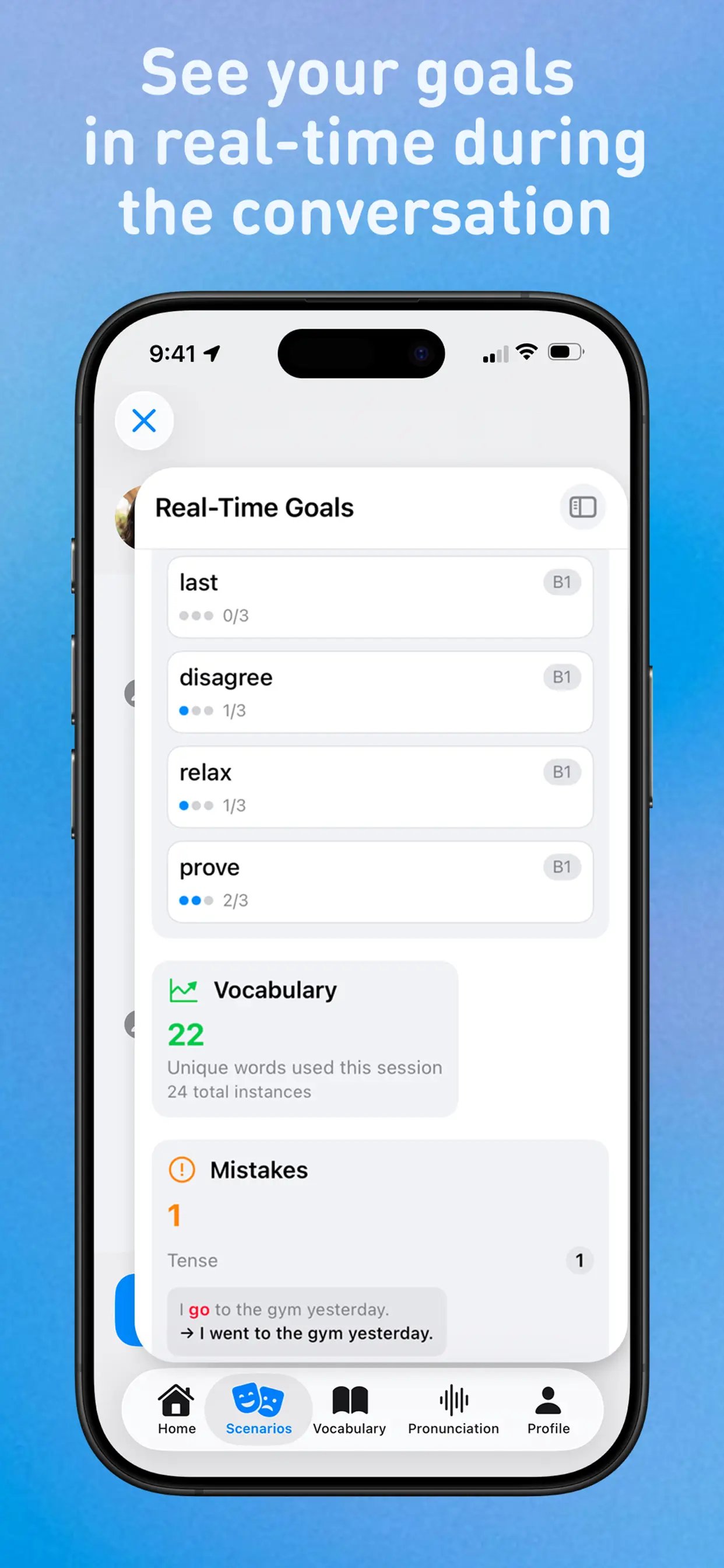
- Live tracking inside the call. A side panel updates in real time: target words used, target grammar attempted, mistakes made — so you can self-correct as you go.
- Practice that fits into life. On iOS the conversation collapses into the Dynamic Island, so you can lock the phone, switch apps, or walk to the metro and keep talking.
- Instant debrief after every call. Score, CEFR estimate, weak spots by name, and a written summary — and the next step unlocks automatically when you meet the criterion.
What teachers get
The same integration that helps students also makes a teacher’s hour count for more.- Walk into every lesson already informed. See what the student practiced on their own, what’s sticking, and what isn’t — plus an AI chat that has read the student’s whole history (background, goals, focus areas, recurring mistakes) for instant context.
- One progress view. Every AI session and live lesson on one timeline: new vs. mastered vocabulary by category, grammar tagged A1–C2 with the exact sentences, transcripts, and summaries.
- Recommend words on demand. Add words to a student’s dictionary and the mobile app prioritizes them in upcoming AI conversations — so what you assign actually gets practiced.
- Author your own AI scenarios. Draft a single- or multi-step scenario from a short prompt with the built-in generator, set metrics and pass criteria per step, and assign to one student or your whole roster. Each step is its own AI agent with its own prompt and evaluation logic.
Feature deep-dives
The pillars highlighted on the teacher dashboard, distilled.How JustTalk works — one hour of teaching, many hours of practice
How JustTalk works — one hour of teaching, many hours of practice
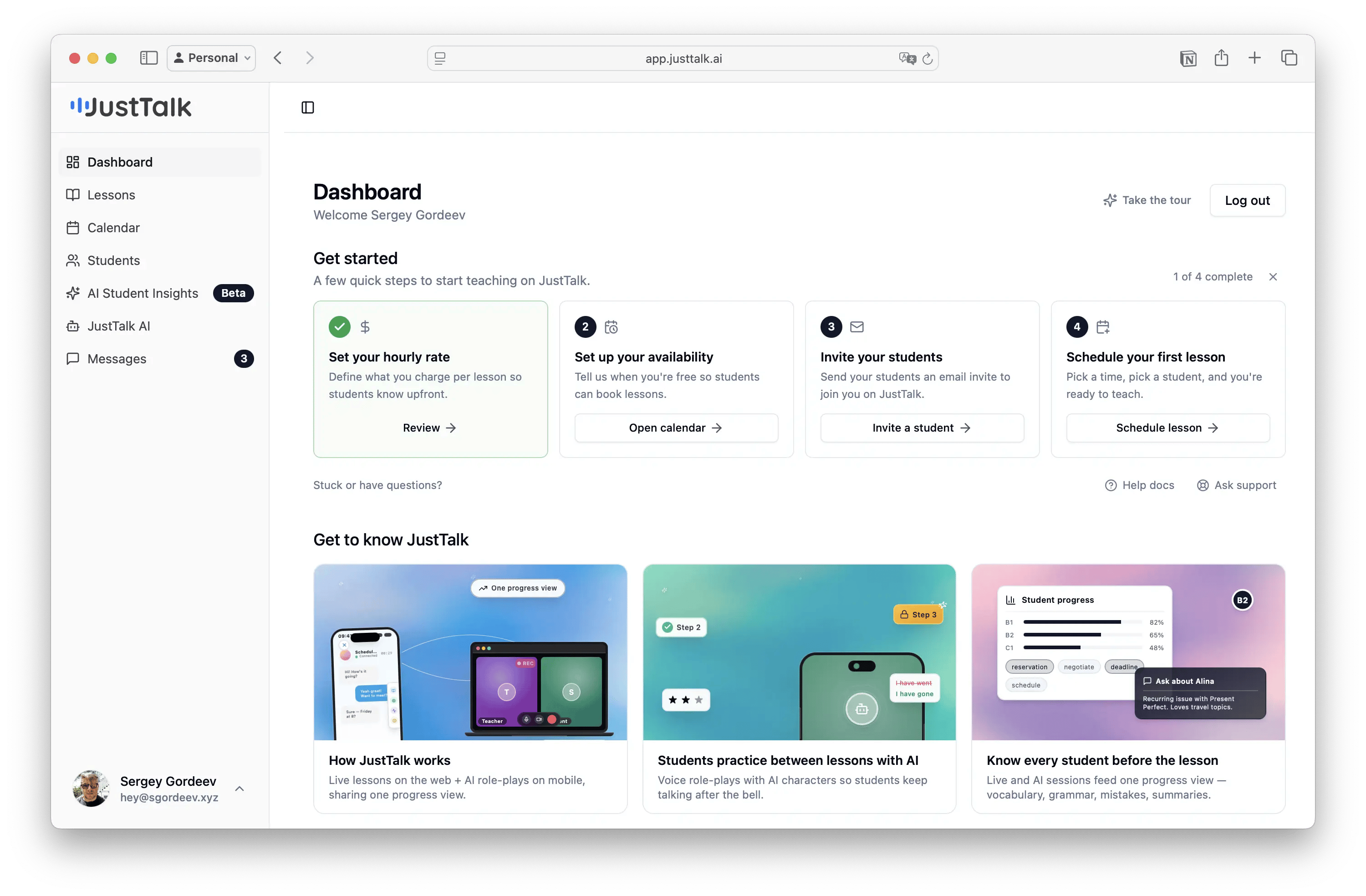
Students get a mobile app for voice-first AI role-plays and a web app for 1:1 video lessons. Both share one backend, one profile, one progress timeline. AI practice fills the gap between every lesson; live tracking runs in the call and a full report lands after. Teachers see everything before the next lesson and can generate scenarios for recurring weaknesses or author their own. The idea: AI makes the live teacher more effective — students arrive warm, with vocabulary already in motion and mistakes already surfaced.
AI role-plays between lessons
AI role-plays between lessons
Real voice conversations, not chat. Every scenario has a goal, not just a topic. Multi-step with unlock-to-advance. A side panel tracks target words, grammar, and mistakes live so students self-correct. On iOS the conversation collapses into the Dynamic Island, so practice keeps running on a walk or in another app. Instant debrief after every call; vocabulary adapts via spaced repetition; sessions share one progress view with live lessons — so students walk into the next lesson already warm.
Know every student before the lesson
Know every student before the lesson
Every session — live or AI — produces a transcript and an AI summary. Vocabulary is tracked by category (new vs. mastered); grammar is tagged A1–C2 with the exact sentences where it appeared. Recommend words on demand and the mobile app prioritizes them. Chat with an AI that knows the student to pull goals, focus areas, and recurring mistake patterns in seconds — especially useful when inheriting a student from another teacher.
Build multi-step scenarios with visual flow
Build multi-step scenarios with visual flow
Draft a whole scenario from a single prompt (“job interview at Meta”, “ordering in a French café”), then fine-tune. Chain steps with per-step success criteria; each step is its own AI agent with its own prompt and evaluation logic. A visual node editor lets you drag, connect, and reorder steps. Assign to one student or many and see where each gets stuck. Example — a 5-step Meta interview: Greet → Skills → Technical Q → HR Q → Offer, where the student only reaches the offer after defending their CV and answering technical questions correctly.
Who it’s for
- Students — improve speaking fastest by actually speaking, with clear feedback and a teacher who always knows where you stand.
- Teachers — run 1:1 lessons, multiply each student’s practice time with AI, and track everyone on one progress view.
Requirements
- A modern browser (Chrome recommended) for live lessons and recordings.
- A microphone (and camera for video lessons).
- The mobile app (iOS) or chat.justtalk.ai for AI practice.
- An invite from a teacher — or sign up and join a teacher later.
Getting started
I'm a student
Accept your invite, set up both apps, and start practicing.
I'm a teacher
Set up your profile, invite students, and run your first lesson.