> ## Documentation Index
> Fetch the complete documentation index at: https://docs.justtalk.ai/llms.txt
> Use this file to discover all available pages before exploring further.
# Profile setup
> Complete the onboarding wizard and set your hourly rate so students can find and book you.
## The onboarding wizard
The first time you sign in, JustTalk takes you through a four-step wizard. You can revisit it from the **Complete profile** card in the left sidebar.
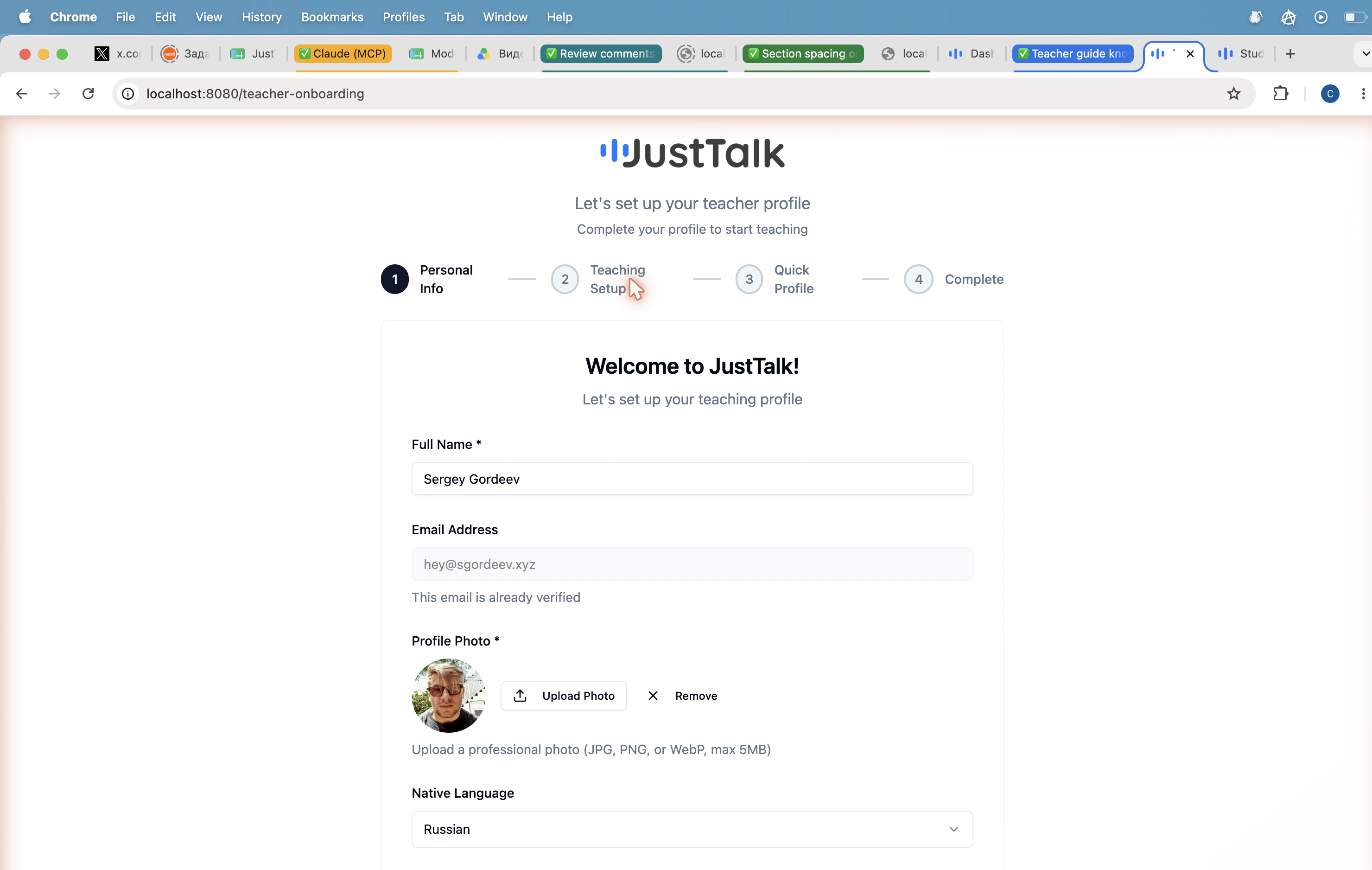
### Step 1 — Personal Info
Full name, profile photo, native language, and the languages you can teach. Your email is pre-filled from signup.
 ### Step 2 — Teaching Setup
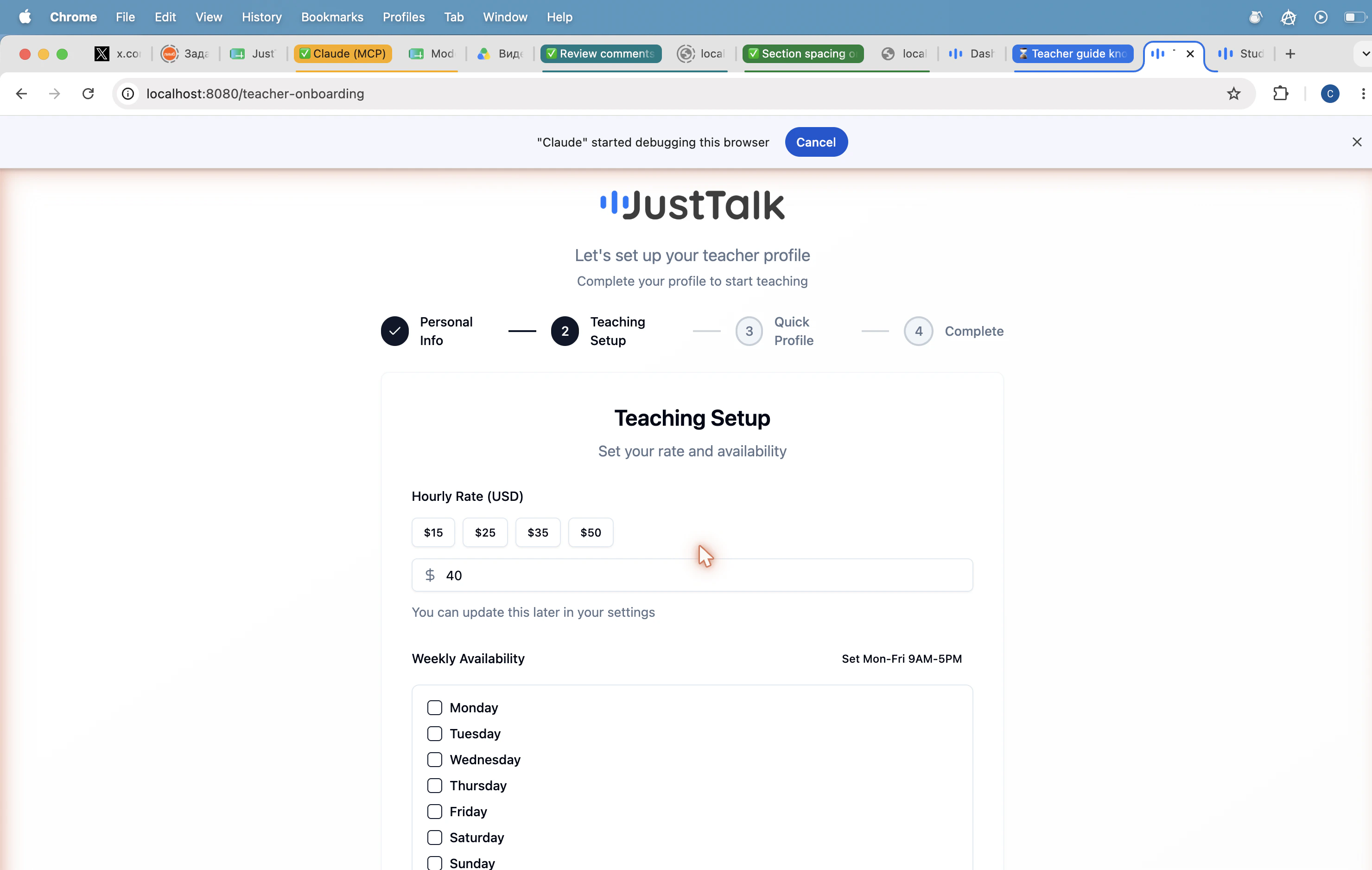
Set your **hourly rate** (with quick picks of $15, $25, $35, $50 or a custom amount) and the **days of the week** you can teach. A *Set Mon-Fri 9AM-5PM* shortcut fills the typical work week in one click.
### Step 2 — Teaching Setup
Set your **hourly rate** (with quick picks of $15, $25, $35, $50 or a custom amount) and the **days of the week** you can teach. A *Set Mon-Fri 9AM-5PM* shortcut fills the typical work week in one click.
 ### Step 3 — Quick Profile
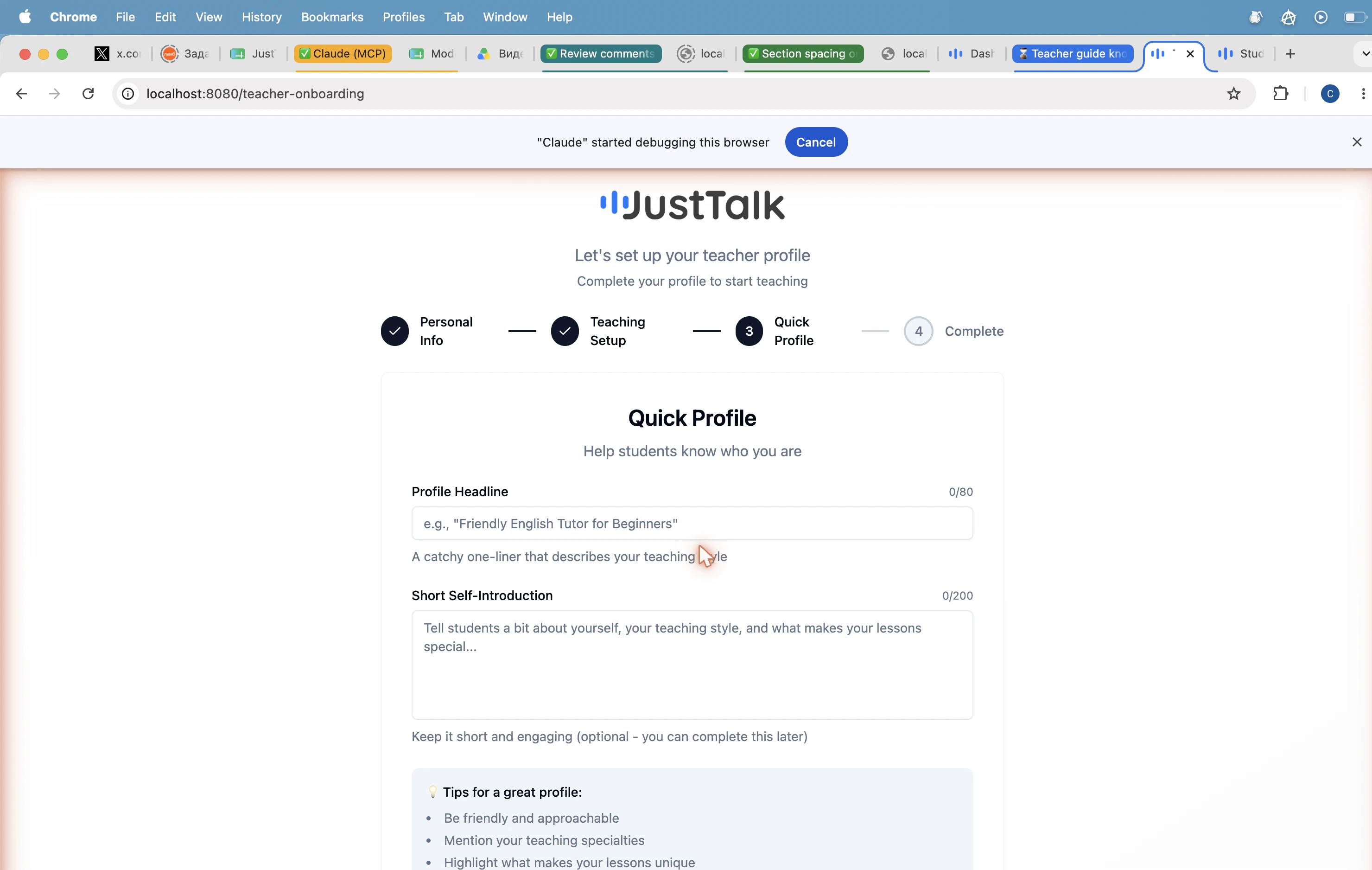
A *Profile Headline* (up to 80 chars, e.g. *"Friendly English Tutor for Beginners"*) and a *Short Self-Introduction* (up to 200 chars). Both are optional and can be edited later.
### Step 3 — Quick Profile
A *Profile Headline* (up to 80 chars, e.g. *"Friendly English Tutor for Beginners"*) and a *Short Self-Introduction* (up to 200 chars). Both are optional and can be edited later.
 ### Step 4 — Complete
Review and click **Complete Setup** to land on your dashboard.
Use a professional headshot and write a 2–3 sentence bio that names the levels you teach (e.g. *A2–C1*), your specialty (exam prep, business English, conversation), and what a first lesson with you looks like.
## Updating your hourly rate later
After onboarding, open **Dashboard → Set your hourly rate → Review** to change your rate at any time.
### Step 4 — Complete
Review and click **Complete Setup** to land on your dashboard.
Use a professional headshot and write a 2–3 sentence bio that names the levels you teach (e.g. *A2–C1*), your specialty (exam prep, business English, conversation), and what a first lesson with you looks like.
## Updating your hourly rate later
After onboarding, open **Dashboard → Set your hourly rate → Review** to change your rate at any time.
 * Most teachers on JustTalk charge between **$20 and $60 per hour**.
* Rate changes apply to new bookings only — lessons already on the calendar keep their original price.
* A lesson always lasts **50 minutes** and consumes **1 credit** from the student.
* Most teachers on JustTalk charge between **$20 and $60 per hour**.
* Rate changes apply to new bookings only — lessons already on the calendar keep their original price.
* A lesson always lasts **50 minutes** and consumes **1 credit** from the student.