> ## Documentation Index
> Fetch the complete documentation index at: https://docs.justtalk.ai/llms.txt
> Use this file to discover all available pages before exploring further.
# AI lesson reports
> Five tabs of AI analysis available on every lesson page after the call ends.
After a lesson ends, open it from **Lessons → View**. The same page surfaces five tabs of AI analysis.
 ## Overview
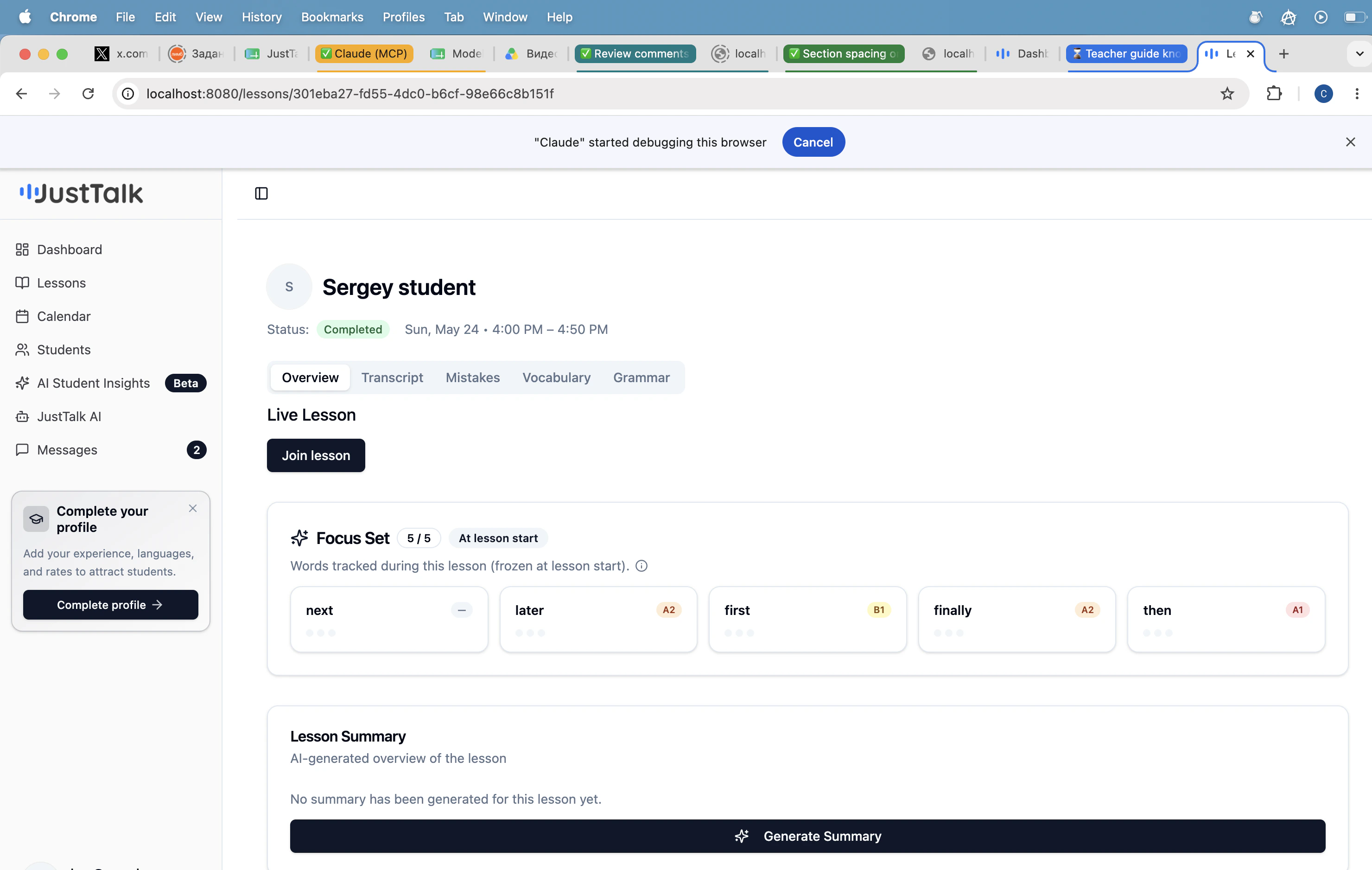
Live Lesson controls, the **Focus Set** that was frozen at lesson start, and a one-click **Generate Summary** that creates a short narrative recap of what happened.
Use **Generate Summary** right after the lesson. It takes \~10 seconds and gives you a paste-ready paragraph you can drop into Messages or your CRM.
## Transcript
The full speaker-labeled transcript of the lesson, ready to skim or copy.
## Mistakes
Grammar and word-choice errors with the original quote, a corrected version, and a category label (tense, article, preposition, etc.). Great source material for homework.
## Vocabulary
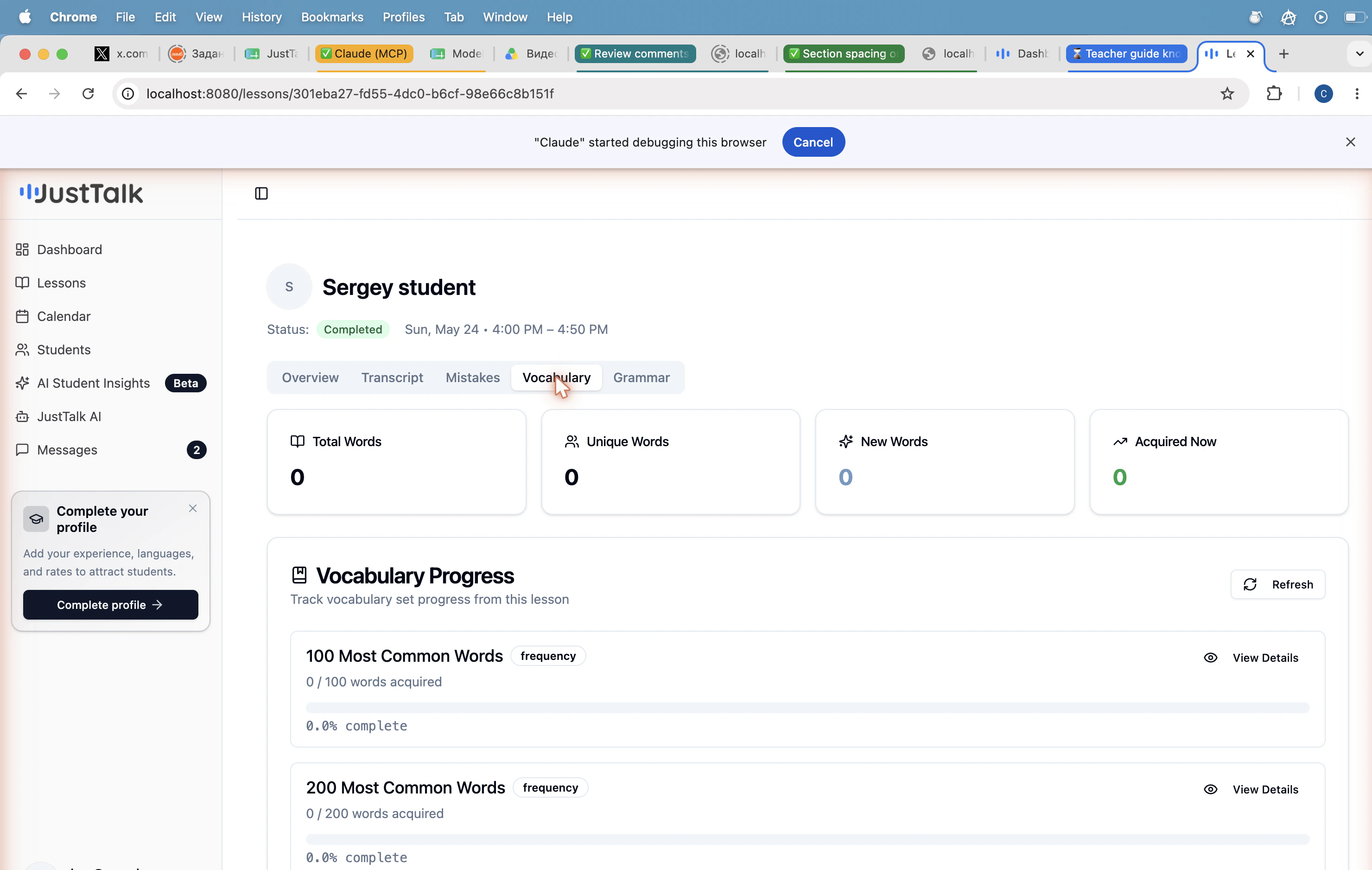
Every meaningful word the student produced, bucketed by CEFR level (A1 → C2). Tells you instantly whether they're staying inside their comfort zone or stretching.
## Overview
Live Lesson controls, the **Focus Set** that was frozen at lesson start, and a one-click **Generate Summary** that creates a short narrative recap of what happened.
Use **Generate Summary** right after the lesson. It takes \~10 seconds and gives you a paste-ready paragraph you can drop into Messages or your CRM.
## Transcript
The full speaker-labeled transcript of the lesson, ready to skim or copy.
## Mistakes
Grammar and word-choice errors with the original quote, a corrected version, and a category label (tense, article, preposition, etc.). Great source material for homework.
## Vocabulary
Every meaningful word the student produced, bucketed by CEFR level (A1 → C2). Tells you instantly whether they're staying inside their comfort zone or stretching.
 ## Grammar
Grammar structures detected in the student's speech (present perfect, conditionals, relative clauses, etc.) with usage counts and example sentences.
## Suggested workflow
1. Open the lesson immediately after the call.
2. Click **Generate Summary**.
3. Scan **Mistakes** for 2–3 patterns to address next lesson.
4. Check **Vocabulary** — is the student stretching past their comfort level?
5. Send the summary in [Messages](/knowledge-base/teacher-guide/messaging) along with one piece of homework.
## Grammar
Grammar structures detected in the student's speech (present perfect, conditionals, relative clauses, etc.) with usage counts and example sentences.
## Suggested workflow
1. Open the lesson immediately after the call.
2. Click **Generate Summary**.
3. Scan **Mistakes** for 2–3 patterns to address next lesson.
4. Check **Vocabulary** — is the student stretching past their comfort level?
5. Send the summary in [Messages](/knowledge-base/teacher-guide/messaging) along with one piece of homework.