> ## Documentation Index
> Fetch the complete documentation index at: https://docs.justtalk.ai/llms.txt
> Use this file to discover all available pages before exploring further.
# Overview
> What JustTalk gives you as a student — live lessons, AI practice between lessons, and one shared view of your progress.
JustTalk helps you **get better at speaking English by speaking** — with a real teacher in live lessons and with AI characters in between. Everything you say feeds one shared progress profile: vocabulary, grammar, pronunciation, and mistakes.
When your teacher invites you, you get access to **two connected surfaces**:
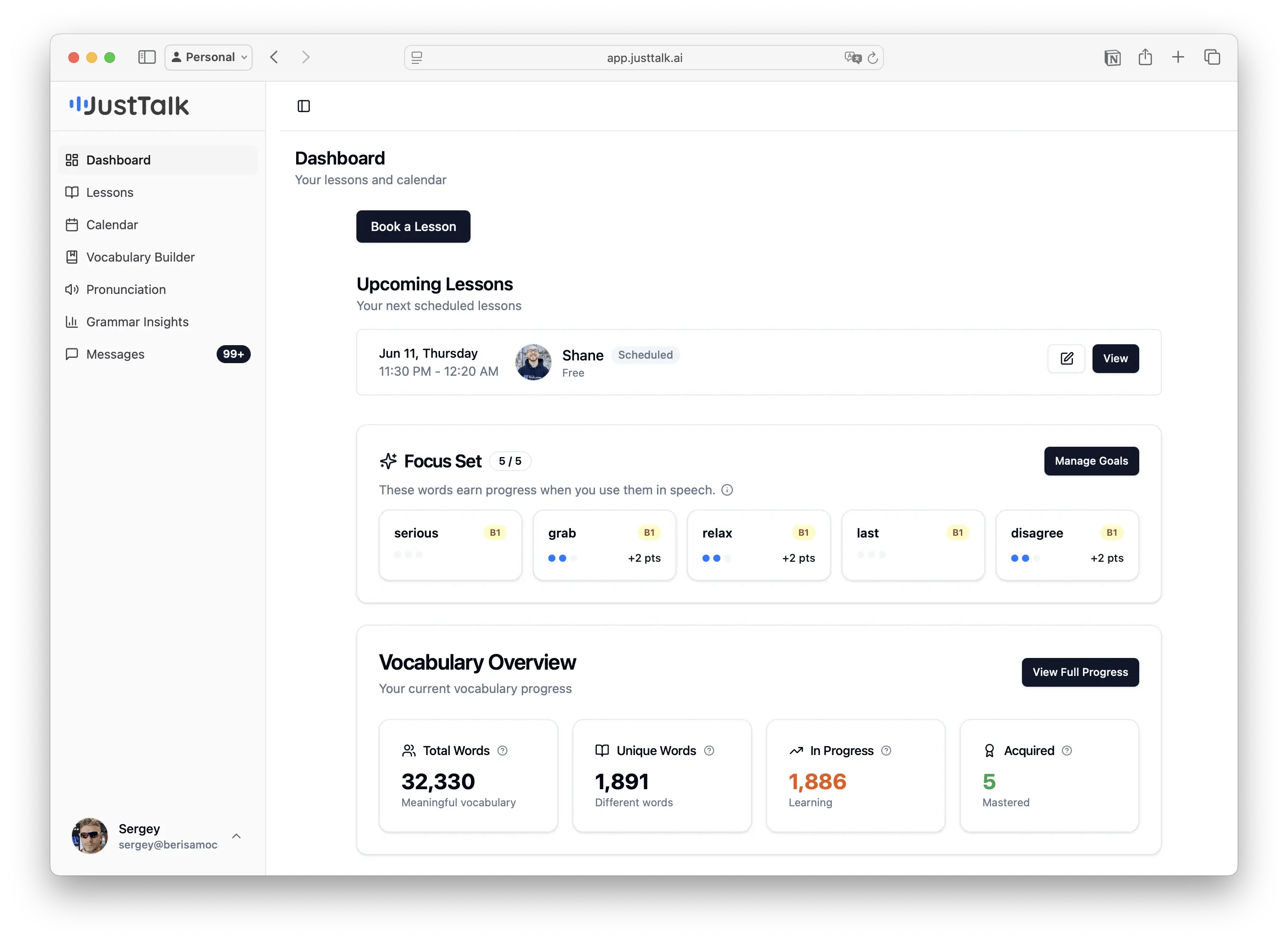
**app.justtalk.ai** — book and join live lessons, and review the AI report after each lesson (vocabulary, grammar, mistakes, transcript).
**chat.justtalk.ai** (also on iOS) — practice speaking any time with AI characters, role-plays, IELTS mock tests, and a progress coach.
## One progress profile across both
The two apps share the same account and the same data. Words you use in a live lesson and words you use talking to an AI character both count toward the **same** vocabulary, grammar, and pronunciation progress. Your teacher sees all of it; so do you.
 ## What you can do
| Area | Where | What it's for |
| ------------------------------- | ------- | ------------------------------------------------------------------- |
| **Live lessons** | Web app | Book, join, and review lessons with your teacher. |
| **AI lesson reports** | Web app | See vocabulary, grammar, mistakes, and a summary after each lesson. |
| **Vocabulary Builder** | Both | Track the words you actually use; grow a Focus Set. |
| **Pronunciation** | Both | Practice problem sounds and see your scores. |
| **Grammar Insights** | Web app | See your most common mistake types and grammar level. |
| **AI conversations** | AI app | Speak freely with AI characters and get instant feedback. |
| **Role-plays & Learning Paths** | AI app | Practice real situations (interviews, dating, daily life…). |
| **IELTS Speaking** | AI app | Take scored mock tests and debrief with an AI coach. |
| **Messages** | Web app | Chat with your teacher between lessons. |
## Where to go next
Accept your invite and set up both apps.
Find a time and join your first lesson.
Start speaking with AI between lessons.
Understand the feedback you get.
## What you can do
| Area | Where | What it's for |
| ------------------------------- | ------- | ------------------------------------------------------------------- |
| **Live lessons** | Web app | Book, join, and review lessons with your teacher. |
| **AI lesson reports** | Web app | See vocabulary, grammar, mistakes, and a summary after each lesson. |
| **Vocabulary Builder** | Both | Track the words you actually use; grow a Focus Set. |
| **Pronunciation** | Both | Practice problem sounds and see your scores. |
| **Grammar Insights** | Web app | See your most common mistake types and grammar level. |
| **AI conversations** | AI app | Speak freely with AI characters and get instant feedback. |
| **Role-plays & Learning Paths** | AI app | Practice real situations (interviews, dating, daily life…). |
| **IELTS Speaking** | AI app | Take scored mock tests and debrief with an AI coach. |
| **Messages** | Web app | Chat with your teacher between lessons. |
## Where to go next
Accept your invite and set up both apps.
Find a time and join your first lesson.
Start speaking with AI between lessons.
Understand the feedback you get.