> ## Documentation Index
> Fetch the complete documentation index at: https://docs.justtalk.ai/llms.txt
> Use this file to discover all available pages before exploring further.
# Your lesson reports
> After every lesson, see the words and grammar you used, the mistakes to fix, and a summary.
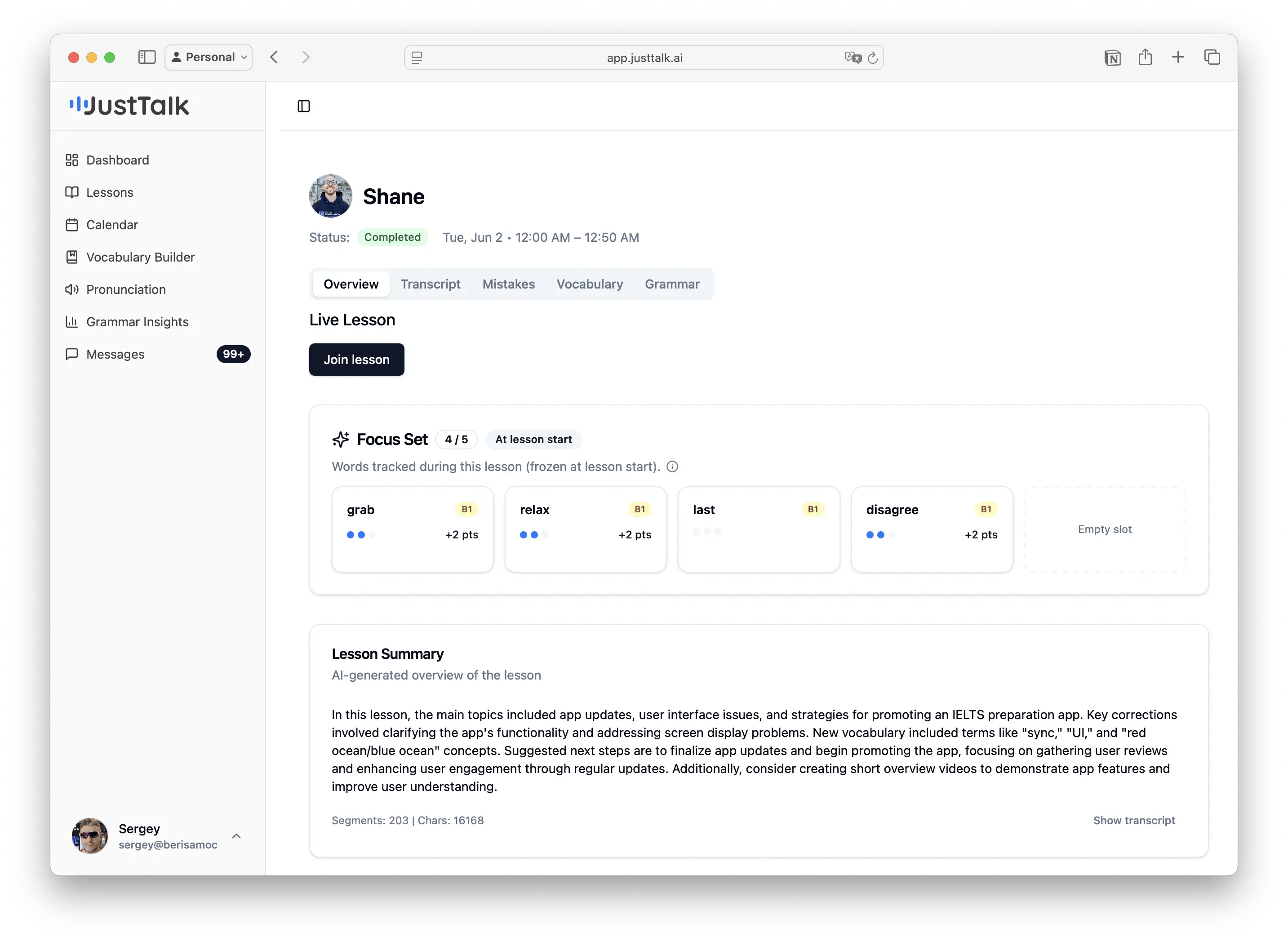
After each lesson, open it from **Lessons → View**. The report has five tabs plus your Focus Set and an AI summary.
 ## Overview
Your **Focus Set** for the lesson and an **AI-generated summary** — the main topics, key corrections, new vocabulary, and suggested next steps. A quick way to remember what the lesson covered.
## Transcript
The full word-for-word transcript of the lesson, with speaker labels. You can replay individual lines and translate them.
## Mistakes
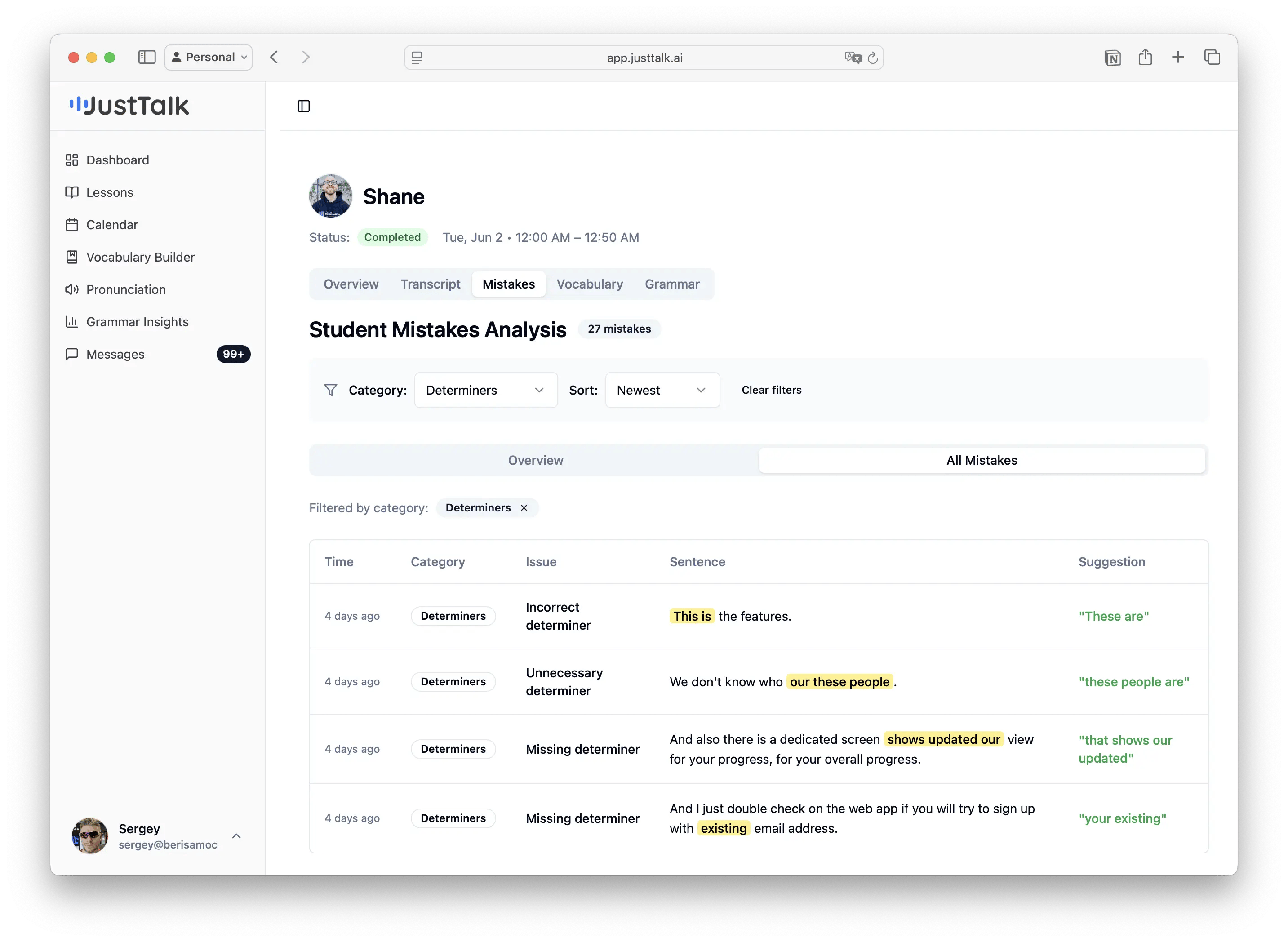
Your mistakes grouped by category (Articles, Tense, Verb Form, Word Order, Prepositions…) with percentages, plus an **All Mistakes** list showing what you said, the correction, and a short explanation.
## Overview
Your **Focus Set** for the lesson and an **AI-generated summary** — the main topics, key corrections, new vocabulary, and suggested next steps. A quick way to remember what the lesson covered.
## Transcript
The full word-for-word transcript of the lesson, with speaker labels. You can replay individual lines and translate them.
## Mistakes
Your mistakes grouped by category (Articles, Tense, Verb Form, Word Order, Prepositions…) with percentages, plus an **All Mistakes** list showing what you said, the correction, and a short explanation.
 ## Vocabulary
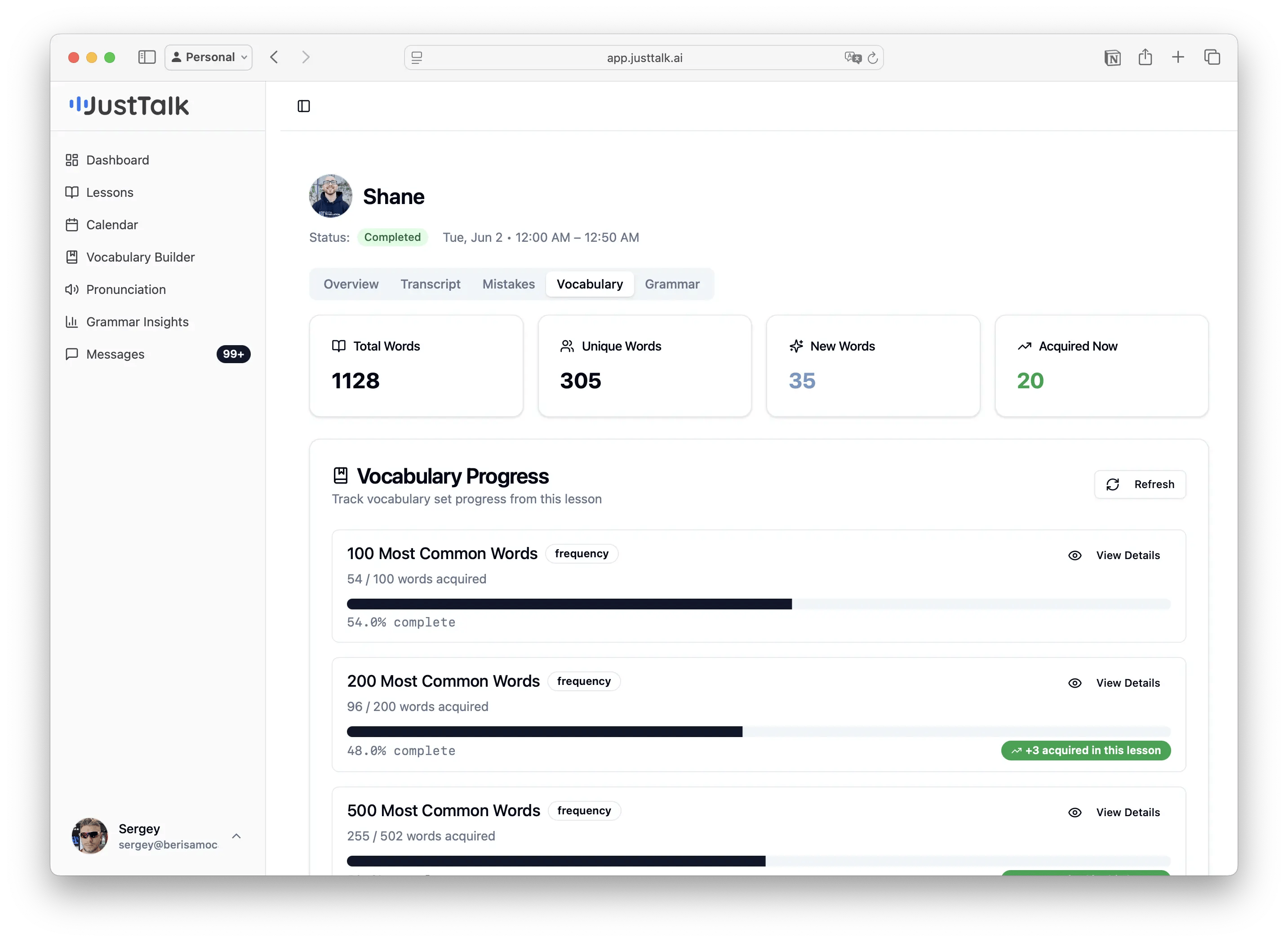
Every meaningful word you used, with **Total / Unique / New / Acquired** counts and progress bars for common-word bands (100, 200, 500 most common…). Green badges show how many words you newly **acquired** in that lesson.
## Vocabulary
Every meaningful word you used, with **Total / Unique / New / Acquired** counts and progress bars for common-word bands (100, 200, 500 most common…). Green badges show how many words you newly **acquired** in that lesson.
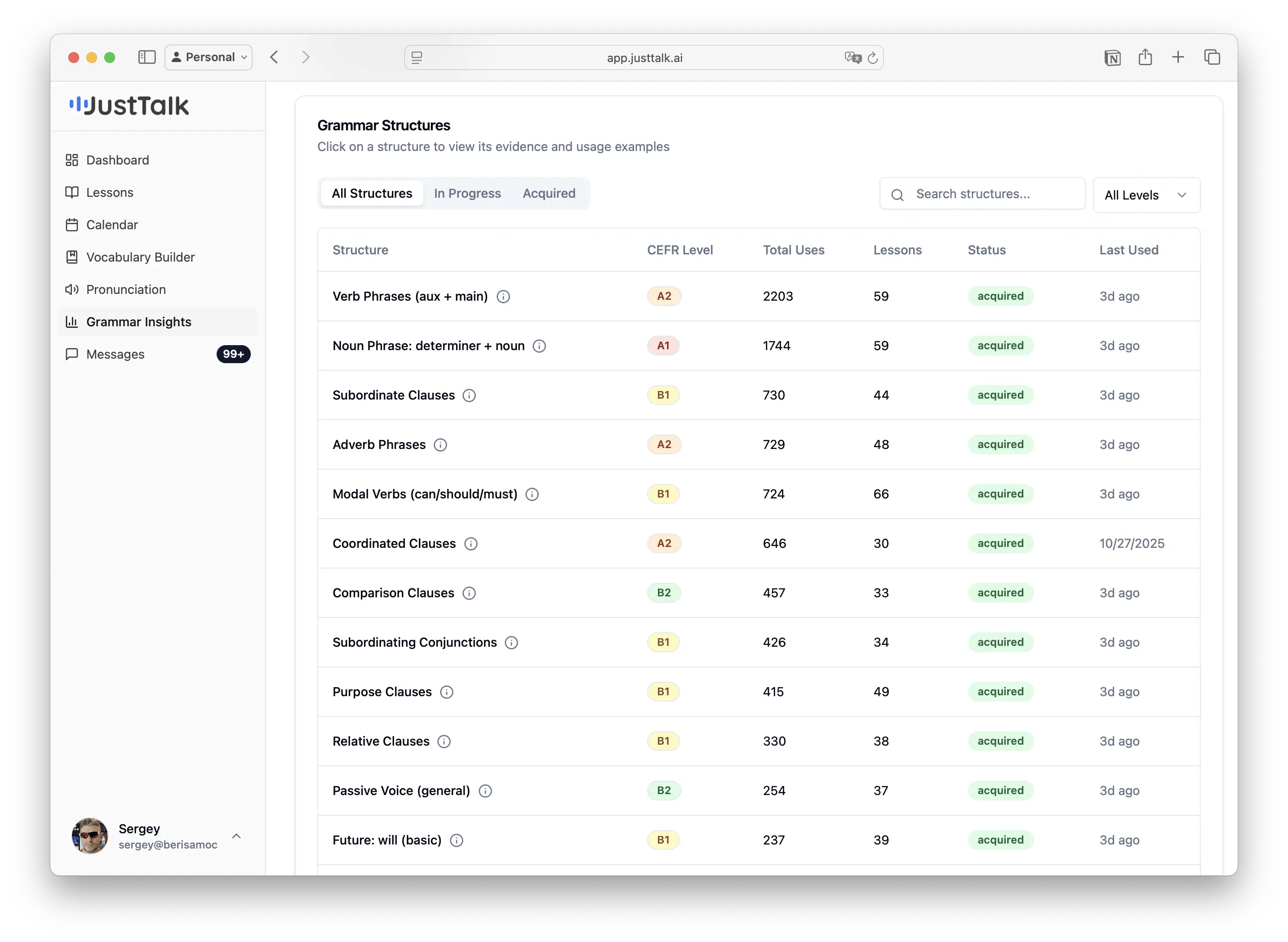
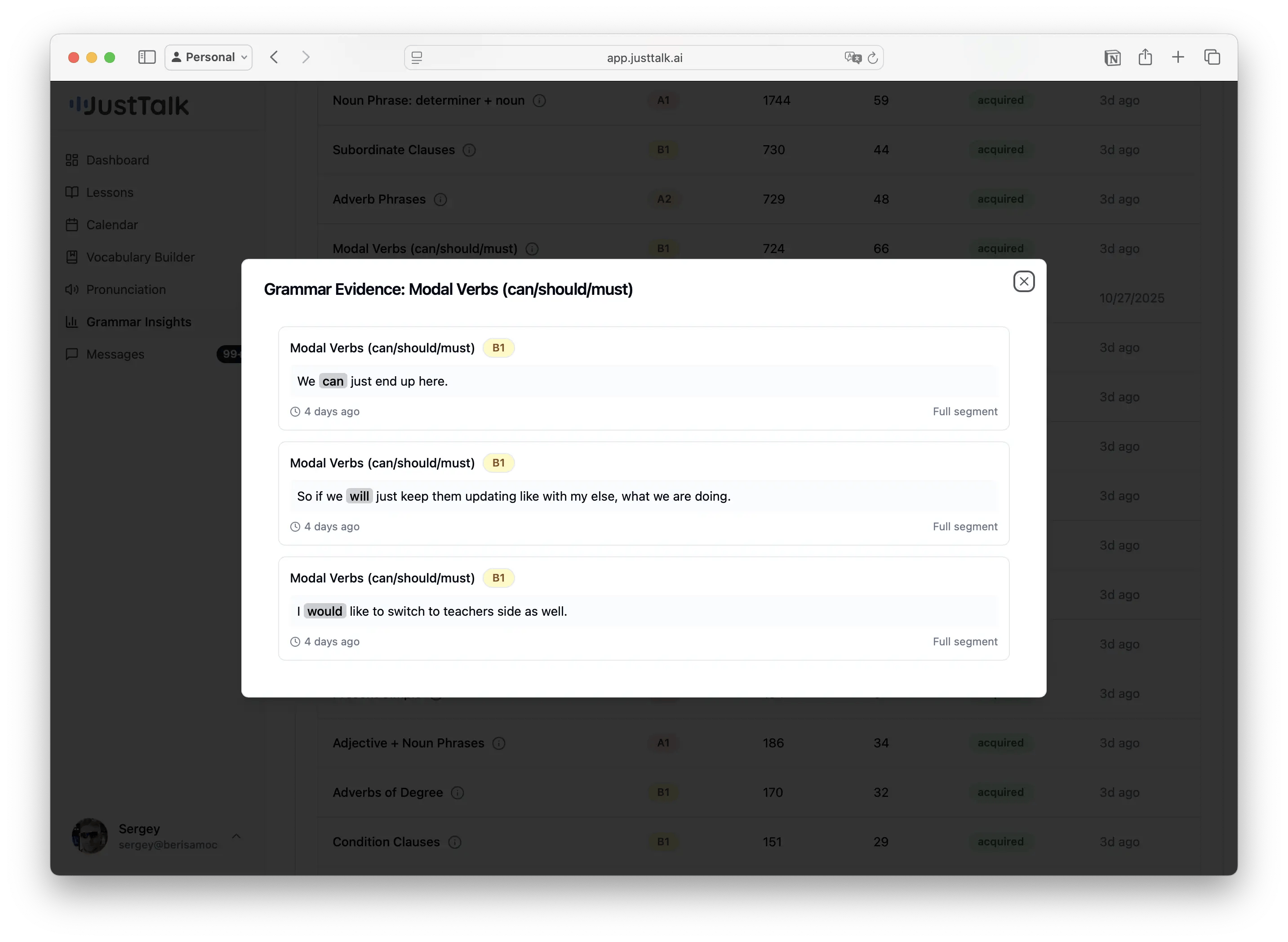
 ## Grammar
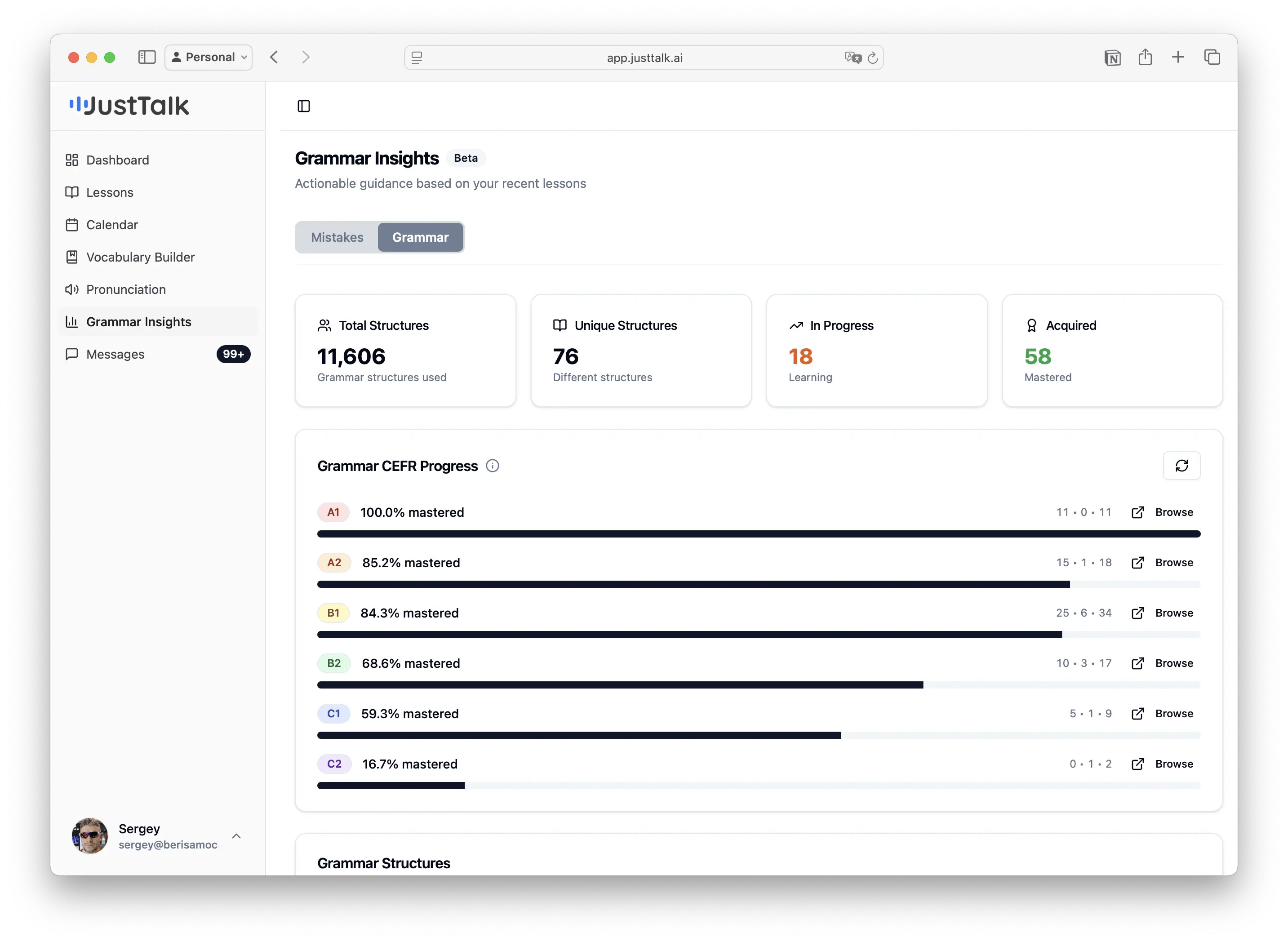
The grammar structures detected in your speech, shown by CEFR level (A1 → C2), with counts and examples — so you can see whether you're stretching into higher-level structures.
## Grammar
The grammar structures detected in your speech, shown by CEFR level (A1 → C2), with counts and examples — so you can see whether you're stretching into higher-level structures.
 Turn your report into homework: pick 2–3 mistakes to avoid next time, and add a few **new** words from the Vocabulary tab to your [Focus Set](/knowledge-base/student-guide/vocabulary-builder) so they start counting toward your progress.